VCT
GitHub adds issue statuses and repository boards in public preview
Teams and agents can now set statuses such as In progress and In review on issues and track them on boards inside a repository.
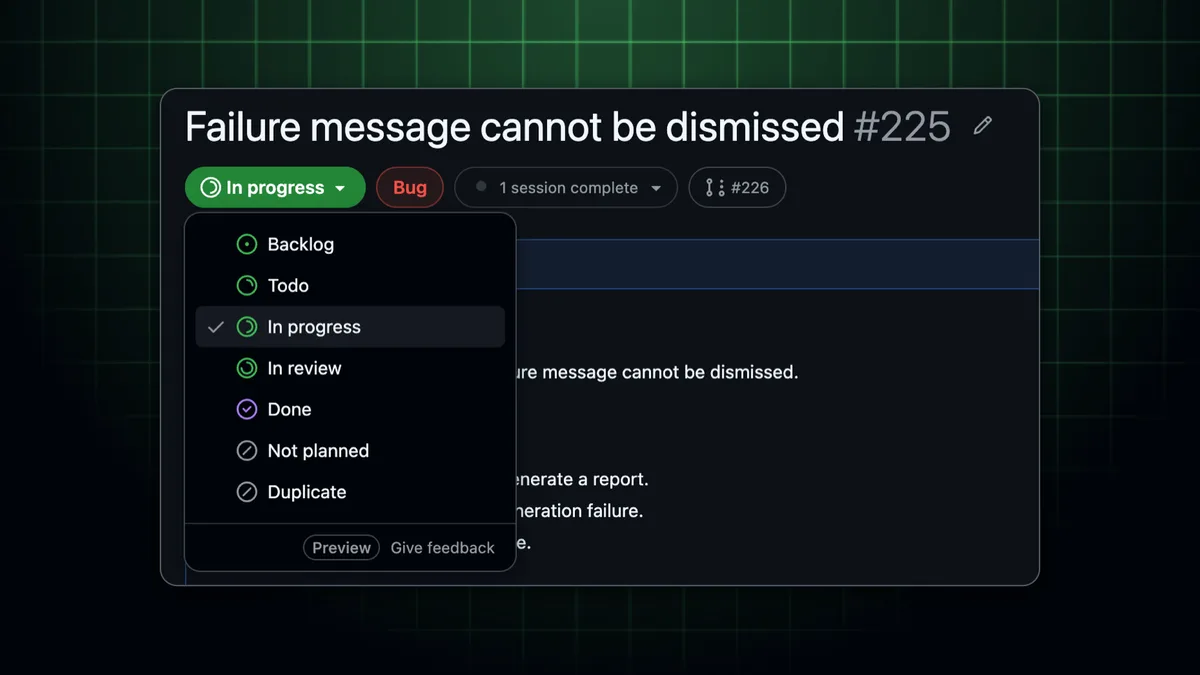
GitHub has put issue statuses and repository boards into public preview. The new statuses give teams and agents a shared view of active work and the next task.
Users can choose a status while creating an issue or edit it later in the issue header. Issue icons display the status on repository boards, the issues dashboard and the repository issues page.
Automatic status updates
Attaching a draft pull request to an issue sets it to In progress. Marking that draft Ready for review changes the issue to In review. Attaching an open pull request also sets In review. Assigning a person sets Todo, and assigning an agent sets In progress. When a GitHub Project has a status value with the same meaning, a change to either one updates the other.
Automations and agents can read an issue's status through GraphQL, the REST API and the MCP server. They can also set a status, including the initial one at creation. Copilot automations can use status changes as a trigger.
Boards inside the repository
Repository saved views now offer a board layout, so users can follow progress and update issues without leaving the repository. Users switch to the board layout from the View options menu in a new or existing view. Grouping by status sorts issues into columns, and dragging an issue to another column changes its status. Users can also adjust columns, swimlanes, visible fields and sorting. For more advanced planning, GitHub points teams to a GitHub Project.
Issue fields no longer tied to types
Issue fields no longer depend on issue types. Before, every field except Priority had to be mapped to a type to appear. Users can now add any field to an issue through the cog menu in the sidebar's fields section. A field still appears by default only when it is pinned to a type.